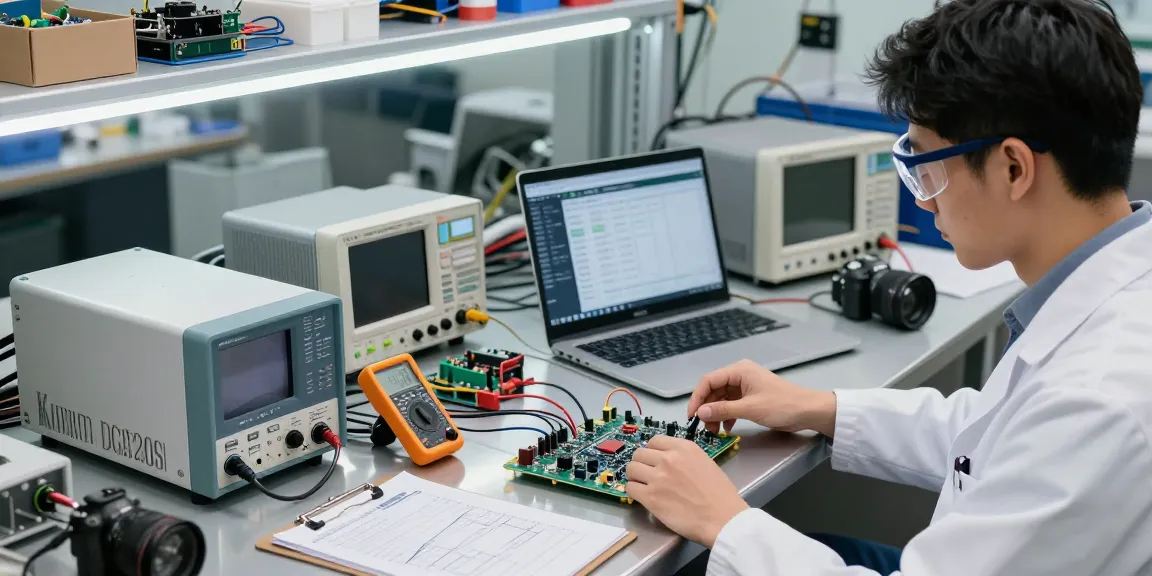
Understanding the Kiprim DC620S Power Supply Features
The Kiprim DC620S Power Supply is designed to meet the rigorous demands of modern engineering applications. This advanced power supply offers a range of features that not only enhance its functionality but also ensure reliability and precision in power delivery. With specifications reaching up to 400W output, a voltage range of 0-60V, and a current capacity of 0-20A, it is tailored for both professional and hobbyist use. In this section, we will delve into the key specifications, programmability options, and display advantages that set the Kiprim DC620S apart from other power supplies in its class.
What are the key specifications of the Kiprim DC620S Power Supply?
The Kiprim DC620S boasts an impressive configuration suitable for various applications. Key specifications include:
- Output Voltage: 0-60 V
- Output Current: 0-20 A
- Power Output: 400W
- Display: 2.8-inch colour LCD
- Cooling System: Smart cooling fan
These specifications make it ideal for testing and powering devices requiring stable and reliable DC power. Its compact design, measuring only 8.9 x 5.6 x 3.2 inches, adds to its versatility, ensuring that it can be easily integrated into any workspace.
How does the memory key enhance programmability?
One of the standout features of the Kiprim DC620S is its memory key functionality. This allows users to save and recall up to four different sets of parameters (M1, M2, M3, and M4) swiftly. This feature is particularly useful for engineers who frequently work with specific voltage and current settings, enabling quick adjustments without the need for manual reconfiguration each time. By enhancing programmability, the Kiprim DC620S not only saves time but also improves efficiency in experimental or testing environments.
Exploring the advantages of the 2.8-inch colour LCD display
The 2.8-inch colour LCD display of the Kiprim DC620S serves as a powerful interface, offering both numeric and graphical representations of voltage, current, and power. This dynamic feedback allows for real-time monitoring of the power supply's performance. The ability to view data visually as curves or numerical values enables users to make informed adjustments on the fly, enhancing precision in applications—making this feature indispensable for sensitive projects.
Setting Up Your Kiprim DC620S for Optimal Performance
Setting up the Kiprim DC620S is straightforward, yet understanding the nuances of its configuration can greatly enhance your experience. Proper setup not only maximises the performance of the power supply but also ensures safety during operations. This section provides a step-by-step guide to get you started.
Step-by-step guide to initial setup and configuration
- Unbox and inspect: Ensure that all accessories are included and check for any visible damage.
- Place the unit: Position the power supply in a well-ventilated area to facilitate the smart cooling fan's operation.
- Connect power: Plug the power supply into a compatible AC outlet before powering it on.
- Set parameters: Use the front panel to adjust the desired voltage and current settings. Save these settings using the memory key for easy access later.
- Test with a load: Connect a load to the output terminals and test the settings, monitoring the display for accurate readings.
By following these steps, users can ensure that their Kiprim DC620S is ready for efficient operation in their specific applications.
Troubleshooting common setup issues with the Kiprim DC620S
While setting up the Kiprim DC620S is typically straightforward, users may encounter occasional issues. Common problems include:
- No output voltage: Verify the connections and ensure the power supply is turned on.
- Display not turning on: Check the power supply connection and inspect the unit for any potential damage.
- Overheating: Ensure sufficient ventilation around the power supply and check the load to prevent exceeding capacity.
If persistent issues arise, consulting the user manual or contacting customer support can provide guidance and solutions.
Best practices for maintaining and caring for your power supply
To extend the lifespan of your Kiprim DC620S, consider implementing the following maintenance practices:
- Regularly clean the exterior to prevent dust accumulation.
- Ensure the cooling fan is functioning correctly by monitoring for unusual noises.
- Store in a dry, stable environment away from extreme temperatures.
- Periodically check the calibration with standard testing equipment to ensure accuracy.
By adhering to these best practices, users can maintain optimal performance and reliability over time.
Ensuring Safety with the Kiprim DC620S Power Supply
Safety is paramount when working with any electrical equipment, and the Kiprim DC620S is equipped with multiple built-in safety features to protect both the user and the devices being powered. Understanding these protections is essential for effective use.
Overview of built-in safety features and protections
The Kiprim DC620S includes several safeguards, such as:
- Overvoltage Protection: Automatically disconnects output when voltage exceeds safe limits.
- Overcurrent Protection: Prevents damage by shutting off output when current surpasses designated levels.
- Short-circuit Protection: Protects the power supply and connected devices from the effects of short circuits.
These features work in tandem to ensure safe operation, offering peace of mind for users across various applications.
Understanding the importance of overvoltage and overcurrent protection
Overvoltage and overcurrent protections are critical in a power supply, especially when dealing with sensitive electronics. For instance, accidentally applying a higher voltage than what a device can handle could lead to irreversible damage. Likewise, too much current can heat components beyond their limits. The Kiprim DC620S ensures these risks are mitigated, making it suitable for a wide range of applications, including delicate experiments and high-stakes engineering tasks.
Best practices for safe operation in various environments
To ensure safe operation of the Kiprim DC620S, it is advisable to follow these best practices:
- Always adhere to the specified operating limits (voltage and current).
- Use appropriate cables and connectors rated for the expected load.
- Monitor the ambient temperature to prevent overheating.
- Keep the device dry and avoid exposure to moisture or corrosive environments.
Implementing these practices will enhance operational safety and reliability, allowing users to focus on their projects with confidence.
Advanced Features and Applications of the Kiprim DC620S
Beyond its basic functionalities, the Kiprim DC620S offers advanced features that elevate its usability in complex applications. Integrating this power supply into various projects can greatly enhance operational efficiency.
How to utilize PC software for enhanced control
One of the notable features of the Kiprim DC620S is its compatibility with PC software for enhanced control. Users can connect the power supply to a computer via USB, allowing for detailed adjustments and data logging. This integration facilitates:
- Remote monitoring and control of voltage and current settings.
- Graphical representation of output data over time.
- Easy saving and sharing of settings and configurations.
Such functionalities are invaluable for engineers needing precision in experiments, as they provide a comprehensive overview of performance metrics.
Integrating the Kiprim DC620S into complex projects
The Kiprim DC620S can be seamlessly integrated into a variety of complex projects, whether in educational settings, research labs, or industrial environments. For example, in a laboratory setting, it can be used to power test circuits, assist in electrochemical experiments, or simulate load conditions for troubleshooting. This versatility makes it a crucial tool for engineers and technicians alike.
Case studies of innovative applications in engineering
Real-world applications of the Kiprim DC620S have demonstrated its effectiveness in diverse engineering tasks. For instance, at a university research lab, students utilised the power supply for experiments that required precise voltage and current adjustments, leading to advancements in renewable energy studies. Similarly, in automotive engineering, it has been employed in battery testing scenarios, showcasing its adaptability across fields.
Future Trends in Power Supplies: What Lies Ahead?
The landscape of power supplies is evolving rapidly, driven by advancements in technology and changing user demands. Understanding these trends is crucial for anticipating the future of devices such as the Kiprim DC620S.
The evolution of digital power supplies in engineering
Digital power supplies like the Kiprim DC620S represent a significant shift from traditional analogue systems. This evolution has brought enhanced accuracy, programmability, and real-time monitoring capabilities. As digital technology continues to advance, we can expect even greater integration with IoT and automation systems, further enhancing the versatility of power supplies.
Emerging technologies in power management and efficiency
Future trends will likely see an increase in the efficiency and environmental sustainability of power supplies. Innovations in semiconductor technology and energy management systems are expected to reduce energy consumption and improve performance metrics. The push towards greener technologies means users will be looking for equipment that aligns with these values.
Preparing for changes in user demands and market evolution by 2026
The market for power supplies is evolving to meet the needs of a more demanding user base. By 2026, we anticipate an increased demand for features that facilitate connectivity, programmability, and data analytics, as well as a growing emphasis on user-friendly interfaces. Manufacturers, including Kiprim, will need to adapt to these changes to remain competitive.
What output specifications does the Kiprim DC620S Power Supply have?
The output specifications of the Kiprim DC620S are impressive, making it suitable for a variety of applications. The power supply operates with a voltage range of 0-60 V and a maximum current output of 20 A, allowing for comprehensive usage across different setups.
Can I save and recall frequently used settings on this power supply?
Yes, the Kiprim DC620S allows users to easily save and recall four sets of channel parameters using the memory key feature. This capability greatly enhances user efficiency, particularly for those who frequently work within established voltage and current ranges.
Is the DC620S easy to monitor and control?
Absolutely, the Kiprim DC620S is designed with user accessibility in mind. The 2.8-inch colour LCD display provides clear, real-time data in both numeric and curve formats, simplifying monitoring and control for users.
What are the advantages of the Kiprim DC620S Power Supply?
The advantages of the Kiprim DC620S include its compact design, robust safety features, user-friendly interface, and programmability, making it an ideal choice for both novices and seasoned professionals in various fields.
How does the Kiprim DC620S ensure safe operation?
The Kiprim DC620S employs multiple safety protections such as overvoltage, overcurrent, and short-circuit protection to guarantee safe operation, safeguarding both the unit and the devices powered by it.